
Look after your car with confidence, even if you've never opened the hood.
Dipstick turns Claude, ChatGPT, Gemini or Grok into a calm, plain-spoken car care guide. Tell it about your car and what's going on, and get a maintenance schedule built from your owner's manual, what a warning light or noise likely means and how urgent it is, which jobs you can do yourself, what to ask about a repair quote, and checklists for winter and road trips.
Get Dipstick Car Care Guide for $5 Compare sizes
$5 once · card, Apple Pay or Google Pay · download in a minute
Into more than one hobby? Get all 70 hobby skills for $19, this one included.
- One-time $5
- Instant email delivery
- 14-day refund
- Works in Claude, ChatGPT, Gemini and Grok
Plan: Sam's 2017 hatchback, 58,400 miles
Drives about 220 miles a week · manual says oil every 7,500 miles or 12 months
Intervals from the owner's manualMostly highway drivingBeginner DIY
- OilNext oil change at 65,900 miles, in about 34 weeksJust changed at 58,400: 58,400 + 7,500 = 65,900; 7,500 ÷ 220 a week = 34 weeks, inside 12 monthsPlan
- TiresFront tread at 4/32 inch: price new tires this month2/32 is the legal minimum in most US states; 4/32 is a common replace-soon pointSoon
- LightSteady check engine light: tighten the gas cap, book a scanIf it starts flashing, ease off and stop driving as soon as it's safeCheck
- DIYCabin air filter: about a 10-minute jobOften behind the glovebox; your manual shows the spot and the partDIY
- ShopGrinding when braking? Get it to a shop nowBrakes, steering, airbags and fuel leaks always go to a professionalSafety
The everyday car knowledge a good mechanic friend shares
One skill, six jobs. Claude, ChatGPT, Gemini or Grok picks the right one from what you ask.

Maintenance schedule
A schedule by miles and months built from your owner's manual intervals, with your next due dates worked out. No made-up numbers for your model.
Warning lights and symptoms
What a light, noise, smell or leak likely means and how urgent it is: keep driving, book it this week, or pull over now.
DIY or shop
Step-by-step help for beginner jobs like wipers, air filters, bulbs, fluids and tire pressure, and a clear line on jobs for a professional.
Reading a repair quote
Parts, labor hours, fees and warranty explained line by line, with the questions to ask before you say yes.
Winter and road trips
Winter prep, a road trip check you can do in your driveway, and an emergency kit list for the trunk.
Tires
Tread depth, the penny and quarter tests, the right pressure from your door sticker, tire age and what changing tire size does.
Ask it like you'd ask a friend who knows cars
It tells you how urgent something is first, then what to do, in plain words.
Usually safe to drive for now, but get it checked soon
A steady check engine light means the car's computer saved a fault code. It can be something small or something that gets worse, so book a scan this week rather than ignoring it.
What to do
- Check that the gas cap is tight (it should click). A loose cap is a common cause, and the light can take a few days of driving to go off after you fix it.
- Notice anything new: rough idle, shaking, less power, a smell, or a different temperature gauge reading.
- Get the code read. Many auto parts stores and any repair shop can read it, and a code reader is an inexpensive tool. Write the code down: it points to an area to check, not always the exact part.
When to stop
If the light starts flashing, the engine is misfiring badly, which can damage the catalytic converter. Ease off the gas and stop driving as soon as it's safe. Pull over now if the oil or temperature light comes on, you smell fuel, or you see smoke.
Example answer from the full skill. Your answers depend on what you ask.
Honest about cars
Car advice online ranges from great to risky. Dipstick keeps you safe and your money in your pocket.
- Safety firstNever under a car held up only by a jack. Brakes, steering, airbags and fuel leaks go to a professional, every time.
- Your manual winsIt never invents your model's intervals. It uses the numbers you give it, or gives typical ranges and tells you to check.
- Urgency you can act onEvery light or symptom gets a clear call: drive on, book it soon, or stop now. It never claims a diagnosis.
- A mechanic still mattersIt can't see, hear or test your car. It helps you describe the problem well and ask good questions at the shop.
Up and running in two minutes
No app to learn and nothing to install on your computer. It lives inside Claude, ChatGPT, Gemini or Grok.
Buy once
Pay $5 by card, Apple Pay or Google Pay. Your download link arrives by email in about a minute.
Add it to Claude, ChatGPT, Gemini or Grok
Upload the ZIP under Skills in Claude, or the unzipped folder in Gemini. It takes about 30 seconds. In Grok, upload the ZIP, or paste the included paste-in file into a new skill. In ChatGPT, add the included paste-in file to a Project.
Just ask
"What does this orange light mean?" "Build my maintenance schedule." "Is this $900 brake quote reasonable?"
Pick your app for the exact clicks
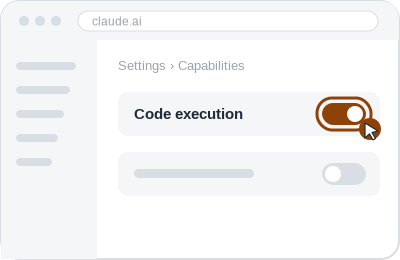
1In Settings, then Capabilities, turn on code execution.
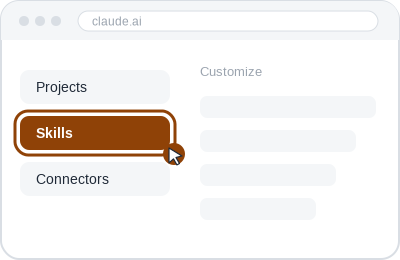
2Open Customize, then Skills.
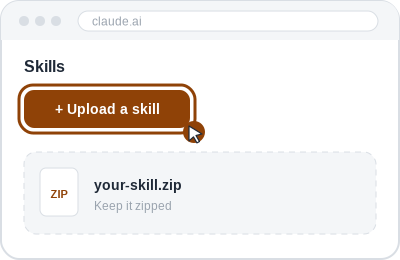
3Click +, choose Upload a skill, pick the ZIP. Keep it zipped.
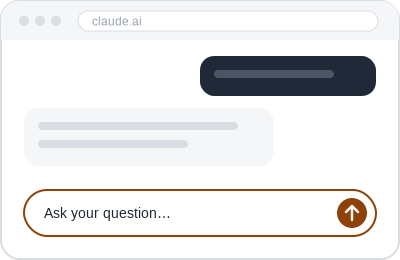
4Start a new chat and ask. Claude picks up the skill.
Works on every Claude plan, including the free one. Free plans have lower usage limits.
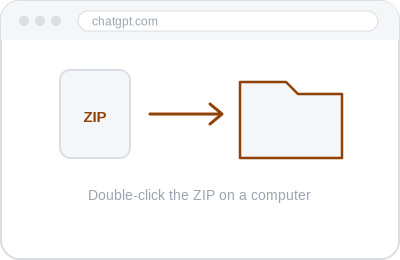
1On a computer, unzip the download and find ANY-AI-PASTE-VERSION.txt.
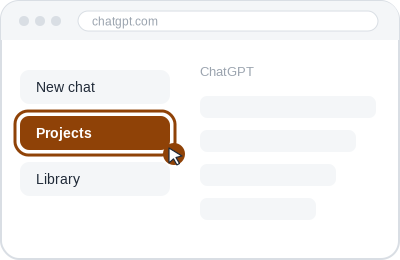
2In ChatGPT, open Projects and make a new project.
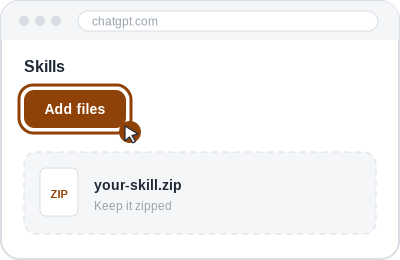
3Add the .txt file to the project. In its instructions, type: Follow the attached file.
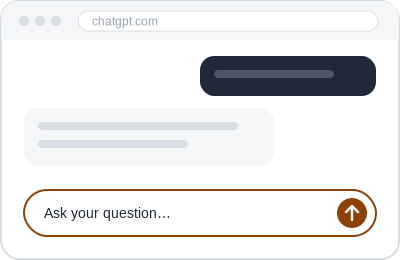
4Start a chat in that project and ask. On a Business, Enterprise or Edu plan, you can upload the ZIP under Skills instead.
Personal ChatGPT plans (Free, Plus, Pro) don't have a Skills page yet, so you use the paste-in version in a Project. On a Business, Enterprise or Edu plan, go to chatgpt.com/skills, choose Add, then Upload from your computer.
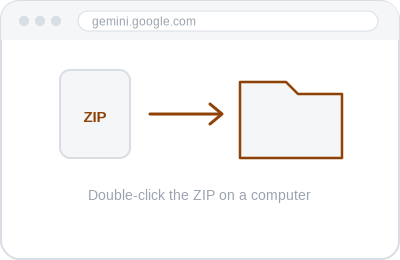
1On a computer, unzip the download. You get a folder.
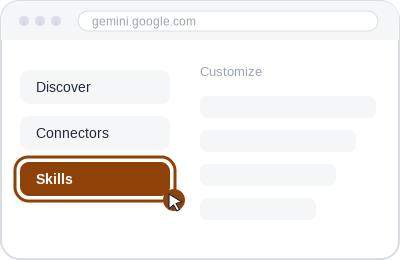
2At gemini.google.com, open Customize, then Skills.
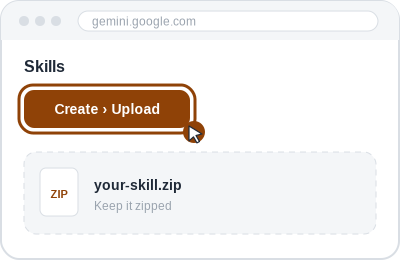
3Choose Create, then Upload, then folder. Pick the unzipped folder.
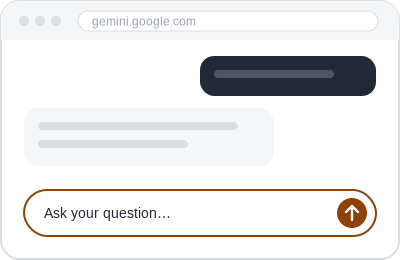
4Start a new chat and ask.
Gemini takes the unzipped folder, not the ZIP. Menus in Gemini change often, so names may differ slightly.
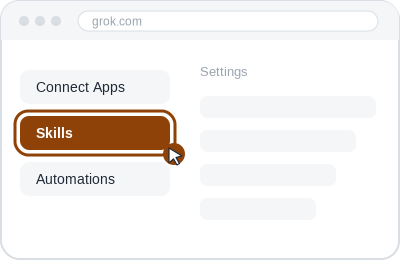
1At grok.com, open Settings, then Skills.
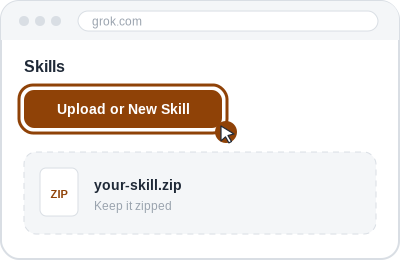
2If you see Upload, pick the ZIP. If you only see New Skill, use the next step.
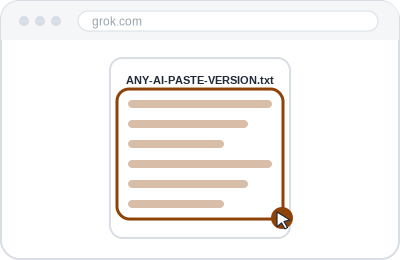
3New Skill: name it, then paste the text of ANY-AI-PASTE-VERSION.txt (below the line of equals signs) into Instructions.
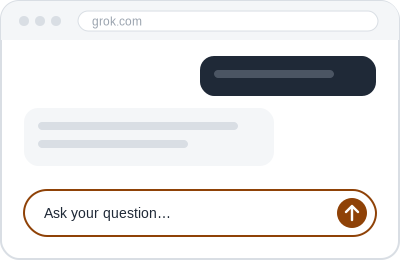
4Save it, start a new chat and ask.
Some Grok plans upload the ZIP; others show a New Skill form, where you paste the skill text in. Menus in Grok change often, so names may differ slightly.
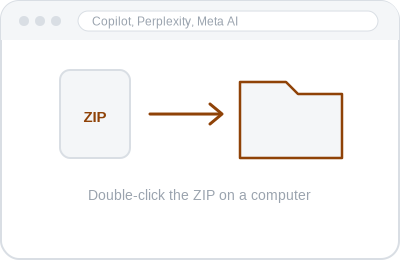
1No Skills page? Unzip the download on a computer.
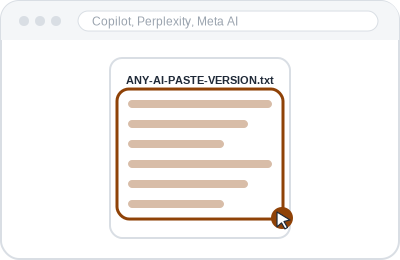
2Open ANY-AI-PASTE-VERSION.txt and copy everything.
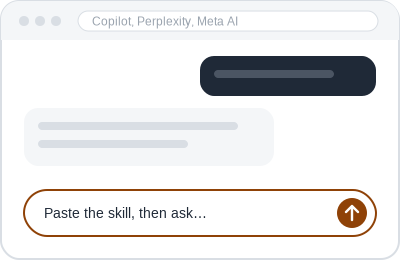
3Paste it into a new chat, then ask your question.
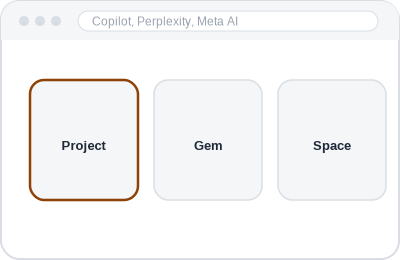
4To keep it on, add it to a ChatGPT Project, Gemini Gem or Perplexity Space.
Using Claude Code, Codex, Cursor or another coding agent? Unzip it into the skills folder, for example unzip dipstick-car-care-guide.zip -d ~/.claude/skills/
On your phone? Go ahead and buy: the download link goes to your email and works for a year. Adding a skill is easiest from a computer, in a web browser or the desktop app, so open that email there when you're ready. Want to try it on your phone today? Open the ZIP, copy ANY-AI-PASTE-VERSION.txt into any chat app, and ask.
Start with the free Maintenance Schedule
A small skill that builds a maintenance schedule for your car from your owner's manual intervals, works out what's due next by miles and date, and gives you a 10-minute monthly check.
- A schedule by miles and months from your manual
- Your next due dates from how much you drive
- A monthly check: tires, fluids, lights and wipers
Get Dipstick Car Care Guide
Pay once, use it for every car you own. Includes the free Maintenance Schedule too.
How to add it
Upload the ZIP under Skills in Claude, or the unzipped folder in Gemini (in Grok, upload the ZIP or paste the paste-in file into a new skill; in ChatGPT, add it to a Project), then start a new chat and try: "I drive a 2016 sedan with 71,000 miles, about 150 miles a week, mostly short trips around town. My last oil change was at 68,500 miles. What maintenance should I plan for the next year?"
See the clicks for your app. Every download also comes with a paste-in version for any other chat, and a Start Here PDF.
Step-by-step guides with pictures: Claude · ChatGPT · Gemini · Grok
Dipstick Car Care Guide
Maintenance schedules, warning lights, DIY or shop, repair quotes, winter and tires.
$5 one time
- Maintenance schedule from your owner's manual
- Warning lights and symptoms, with how urgent they are
- Beginner DIY steps, and which jobs need a shop
- How to read a repair quote and what to ask
- Winter prep and road trip checklists
- Tire tread, pressure, age and size
- Updates for a year
Card, Apple Pay or Google Pay through Stripe. Taxes calculated at checkout. 14-day refund.
Giving it as a gift? Buy it, forward the email, and print a gift card.
See a real answer from the full skill
You ask: My check engine light came on this morning. It's steady, not flashing, and the car seems to drive fine. Is it safe to keep driving, and what should I do?
Usually safe to drive for now, but get it checked soon
A steady check engine light means the car's computer saved a fault code. It can be something small or something that gets worse, so book a scan this week rather than ignoring it.
What to do
- Check that the gas cap is tight (it should click). A loose cap is a common cause, and the light can take a few days of driving to go off after you fix it.
- Notice anything new: rough idle, shaking, less power, a smell, or a different temperature gauge reading.
- Get the code read. Many auto parts stores and any repair shop can read it, and a code reader is an inexpensive tool. Write the code down: it points to an area to check, not always the exact part.
When to stop
If the light starts flashing, the engine is misfiring badly, which can damage the catalytic converter. Ease off the gas and stop driving as soon as it's safe. Pull over now if the oil or temperature light comes on, you smell fuel, or you see smoke.
Into more than one hobby? The Skill Pass gets you all 70 hobby skills, this one included, for $19.
New to AI skills?
Dipstick is a skill: a set of expert instructions you add to your own Claude, ChatGPT, Gemini or Grok account, so it answers like a car care guide and mechanic friend who knows the craft.
- Using Gemini? Unzip it and upload the folder on its Skills page. Using Grok? Under Settings, Skills, upload the ZIP or paste the paste-in file into a new skill. Using ChatGPT? Add the included paste-in file to a Project.
- New to all of them? Claude is an AI assistant made by Anthropic. Make an account at claude.ai: skills work on every Claude plan, including the free one, with code execution turned on in Settings, Capabilities.
- Try the free Maintenance Schedule skill first. If you like it, the full skill is one purchase.
Not ready for an AI app? The free tire size comparison calculator on this site works in any browser, no account needed.
Free car care tools
No sign-up, they run in your browser.
Made by Nic Hubert, What If Labs
I run What If Labs from British Columbia, Canada. I build each skill with AI help and test it on real questions, and a separate reviewer checks it before it goes on sale. If it doesn't do what this page says, email me at hello@whatiflabs.ai and I'll fix it or refund you.
No reviews yet: this store is new. Tell me how it went and I'll use it to make the skill better.
Questions
Does it know the exact maintenance schedule for my car?
No, and it won't pretend to. Your owner's manual (or the maker's website) has the real intervals. Give it those numbers and it builds your schedule. Without them, it uses typical ranges and marks each one to check.
Can it tell me what's wrong with my car?
It can tell you what a light or symptom commonly means and how urgent it usually is, so you know whether to keep driving or pull over. Only a mechanic who can inspect and test your car can say what's actually wrong.
Will it tell me if a repair quote is fair?
It explains each line, checks the math, flags anything that isn't in your manual's schedule and gives you questions to ask. It doesn't know your local labor rates or part prices, so for big jobs it suggests a second written quote.
Does it work for hybrids and electric cars?
Yes for tires, wipers, cabin filters, the 12-volt battery, winter prep and reading quotes. Hybrid and electric high-voltage systems (usually orange cables) are for trained technicians only, and their schedules differ, so it follows your manual.
What do I need to use it?
A Claude, ChatGPT, Gemini or Grok account. In Claude it works on any plan, including the free one, with code execution turned on (Settings, Capabilities). Free accounts have lower usage limits, so long planning sessions go further on a paid plan. It works in Claude on the web, the desktop app and Claude Code. In Gemini and Grok, upload it on the Skills page. In ChatGPT, personal plans (Free, Plus, Pro) don't have Skills yet, so you add the included paste-in file to a ChatGPT Project; Business, Enterprise and Edu plans can upload the ZIP under Skills. Coding agents that read SKILL.md files work too. Using Copilot, Perplexity, Meta AI or another chat with no Skills page? Every download includes a paste-in version (ANY-AI-PASTE-VERSION.txt) that works in any AI chat.
What if it doesn't work for me?
Email hello@whatiflabs.ai within 14 days of buying and we'll refund you in full. No forms, no questions.
How is this different from just asking an AI?
A general AI answer is often vague or skips steps. The skill gives your AI an expert's method: what to ask you first, the checklists and calculations to run, and the mistakes to warn you about. You get consistent, specific answers instead of a different guess each time.
Do I pay every month?
No. It's a one-time price, and updates to the skill are free.
Can I get a refund?
Yes. Every purchase comes with a 14-day refund, no questions asked. Reply to your receipt email and we'll take care of it.
What if it gets something wrong?
It shows its working, so you can check numbers and dates. Tell it what's off and it will correct itself. For anything where a mistake costs money or safety, double-check before you act, as you would with any advice.
Is my information private?
The skill runs inside your own Claude, ChatGPT, Gemini or Grok account, and we never see your chats. When you buy, Stripe handles the payment and we keep your email and order so we can send the download. The terms and privacy page has the details.